Blueprints#
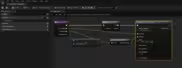
Radiant Auto Notify ships with on pre setup blueprint by default. The bp_RadiantFootstepNotify blueprint contains an example implementation of a footstep notify which might be used with a character.
You can use any animation notify you want but may also create a new anim notify using the RadiantFootstepAnimNotify type as a base.
Setting up your own RadiantFootstepAnimNotify#
The RadiantFootstepAnimNotify is a basetype that can be used to implement your own animation footstep notify. For a simple data driven setup create a new blueprint with RadiantFootstepAnimNotify as its base
Data Driven approach#
With the data driven approach one does not need to adapt the blueprint graph. When creating a new Blueprint implementation there are a few fields you may set.
The notify needs to set its raycasting config, you may pick any Collision for the raycast as well as the Raycast Direction, the Raycast Length and can be set to Trace Complex Collision.
The raycast is fired from the location of TargetBone set by the notify.

Additional configurations include the SoundConfig and the Particle Config both of which are optional can can be left unset. If set both of them require their respective assets (Sound Wave and Niagara System) and you can provide additional information such as offsets or relative transforms to change the location of the sound or particle system.


Overloading OnRaycastHit#
The other option is to override the OnRaycastHit function, which allows for more customization. If you do this it is recommended to not set the sound or particle config. This allows you to create more tailored responses, such as playing different effects depending on the stepped on physics material.